
Give small text more space
Increase text size and line spacing with the Aa control. The preview lets you see how your changes look before returning to the reading.
Bigger letters, roomier lines, and a light or dark page. Set up your own reading space.
Reading Mode is where your photo becomes readable text. You choose the text size, spacing, and appearance that feel comfortable.
How to adjust reading appearance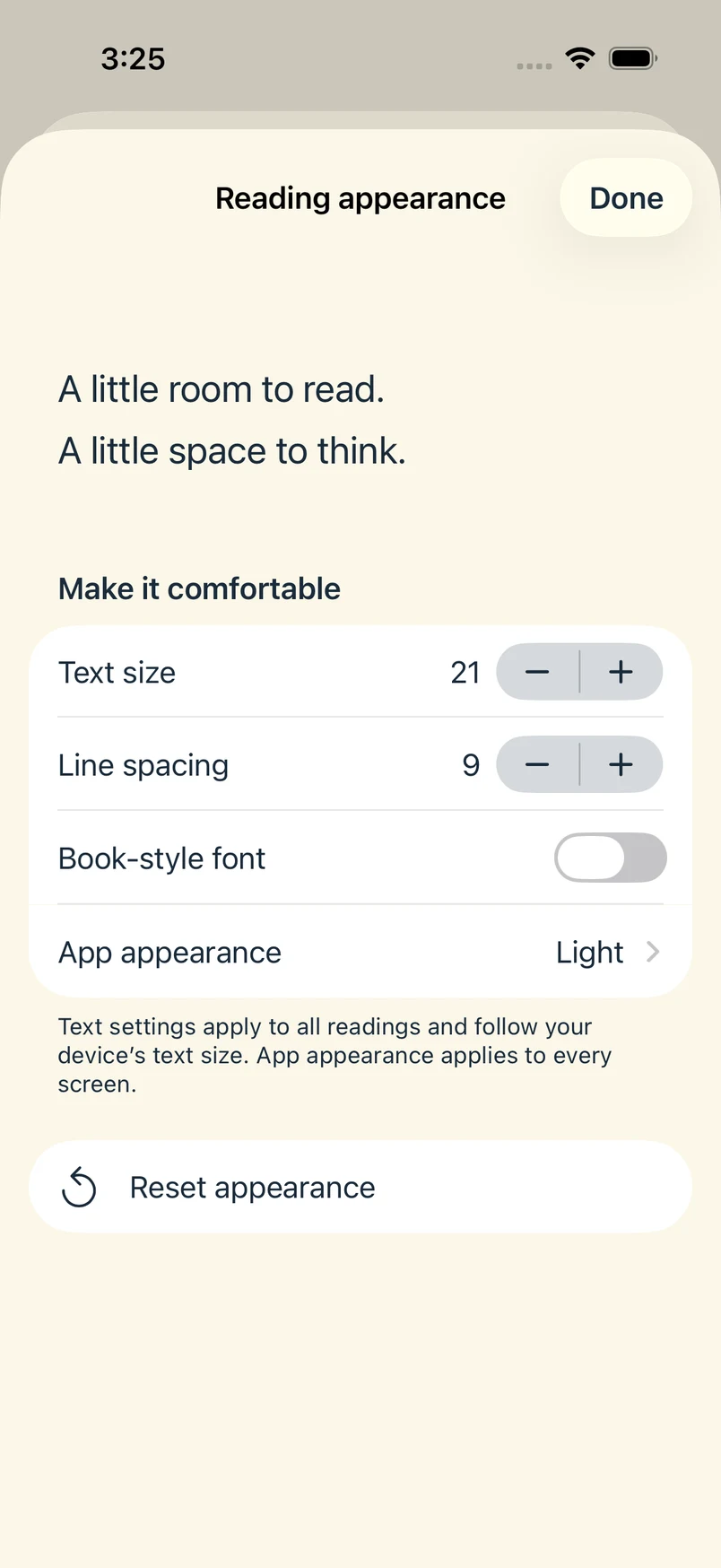
Increase text size and line spacing with the Aa control. The preview lets you see how your changes look before returning to the reading.
Choose Light, Dark, or Device setting. You can also turn on Book-style font if you prefer a serif typeface.
Your appearance choices apply across readings. Reset appearance returns to the defaults without removing your saved text.
Turn a clear photo of a menu into a reading, then increase the text size and spacing. Read at your own pace or use Listen alongside the text.
Reading Mode is the app’s default reading view. Its appearance controls are separate from the optional Microsoft Immersive Reader. You can try the built-in sample before choosing a membership.